By Rupesh Kumar
Published: November 22, 2025
Last Updated: March 09, 2026
Introduction
Starting a YouTube channel today is one of the easiest ways to share knowledge, build an audience, and even earn money online. Many people think it is complicated, but in reality the process is very simple if you follow the right steps.
When I created my first YouTube channel, I also had many doubts. I didn’t know the correct settings, how to choose a niche, or how monetization works. After learning through experience and small mistakes, I realised that any beginner can start a channel with just a smartphone and internet connection.
In this guide, I will explain how to create a YouTube channel step-by-step, how beginners can grow it, and how people later turn it into income.
Why YouTube Is a Great Platform for Beginners
YouTube is the second-largest search engine in the world after Google. Millions of people search for tutorials, reviews, and entertainment every day.
In India especially, smartphone usage has increased a lot. Because of this, many creators are starting channels and building strong audiences.
Some benefits I personally noticed when starting a channel:
| Benefit | Explanation |
|---|---|
| Free platform | YouTube does not charge anything to create a channel |
| Large audience | Billions of people watch videos every day |
| Multiple earning options | Ads, affiliate marketing, sponsorships |
| Long-term growth | One good video can bring views for years |
Because of these reasons, many beginners today search how to create a new YouTube channel and start sharing their ideas online.
How to Create a YouTube Channel Step-by-Step
Step 1: Create a Google Account
Before starting, you need a Google account. Without this, you cannot create a YouTube channel.
How to create a Google account
- Go to accounts.google.com
- Click Create Account
- Enter your name, email, and password
- Verify your phone number
- Complete basic profile information
After completing this process, your Google account is ready. With the same account you can use Gmail, Google Drive, and YouTube.
Step 2: Create Your YouTube Channel
Now comes the most important step — actually creating the channel.
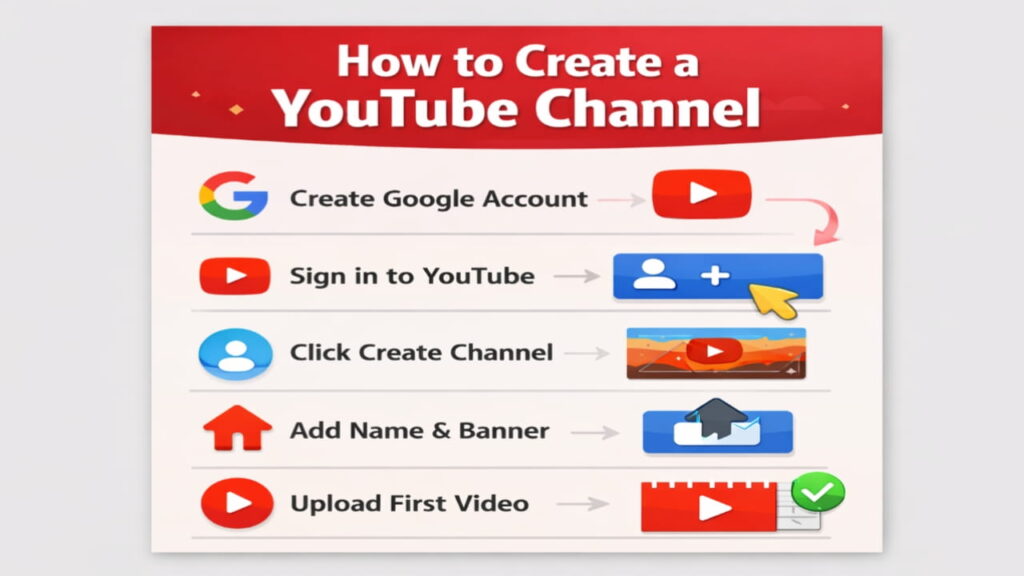
Steps to create the channel
- Open youtube.com
- Login with your Google account
- Click your profile icon (top right corner)
- Select Create Channel
- Enter your channel name
- Upload a profile photo and banner
- Add a short channel description
Once you finish this process, your channel will be live.
This is the basic method how to start a YouTube channel, and it takes only a few minutes.
When I created my first channel, I kept the name very simple and related to my topic. Later I realised that clear and niche-focused names help viewers understand your content quickly.
If you want detailed instructions, you can also read the YouTube official guide on creating a channel.
Step 3: Choose the Right Channel Niche
Many beginners make a common mistake — they upload random videos. This makes it difficult for YouTube to understand your audience.
Instead, choose a clear niche.
Some popular niches in India include:
| Niche | Example Content |
|---|---|
| Education | Study tips, exam preparation |
| Technology | Mobile reviews, app tutorials |
| Finance | Saving money tips, investment |
| Cooking | Simple Indian recipes |
| Lifestyle | Daily vlogs and routines |
When people search how to create a youtube channel and make money, they often forget that choosing the right niche is the foundation of success.
My personal experience:
When I experimented with different topics on one channel, growth was slow. But once I focused on one clear niche, views increased much faster.
Step 4: Customize Your Channel Properly
Many beginners skip this step, but a professional looking channel builds trust.
Important elements to setup
Channel Banner
Your banner should clearly show:
- Channel topic
- Upload schedule
- Branding colors
Channel Description
Explain:
- What your channel is about
- What viewers will learn
- When you upload videos
Channel Keywords
Add keywords related to your niche so YouTube understands your content category.
These small optimizations help YouTube recommend your videos to the right audience.
Step 5: Upload Your First Video
Uploading your first video is always exciting. When I uploaded my first video, I kept checking views every hour.
To upload a video:
- Click Create → Upload Video
- Select your video file
- Write a clear title
- Add a helpful description
- Choose a thumbnail
- Publish the video
A good title is important because it helps viewers understand what your video is about.
For example, beginner tutorials often target searches like how to create a new youtube channel because many people are looking for this information.
Step 6: Create Good Thumbnails
Thumbnail is the first thing people notice before clicking your video.
A good thumbnail should:
- Use bright colors
- Show clear text
- Be easy to read on mobile
- Match the topic of the video
Many creators ignore this, but I noticed that better thumbnails increased my click rate significantly.
You can create thumbnails using free tools like:
- Canva
- Pixellab
- Photoshop
Step 7: Learn Basic YouTube SEO
YouTube works like a search engine. If your video is optimized properly, it can appear in search results.
Uploading is easy — but uploading with proper SEO is what gets views.
1. Add a keyword-rich title
Example :- How to Create a YouTube Channel Step-by-Step (Beginner Guide)
2. Write a strong description
At least 2 paragraphs with keywords. Include links and hashtags.
3. Add tags
Example tags:
- how to create a youtube channel
- how to create a youtube channel and make money
- how to create a youtube channel in mobile
- how to create a youtube channel for beginners
- how to start a youtube channel and earn money
- youtube beginners guide
4. Create an eye-catching thumbnail
Use:
- Canva
- PixelLab
5. Add your video to a playlist
Playlists improve watch time.
This helps your videos appear when people search things like how to start a youtube channel or similar beginner tutorials.
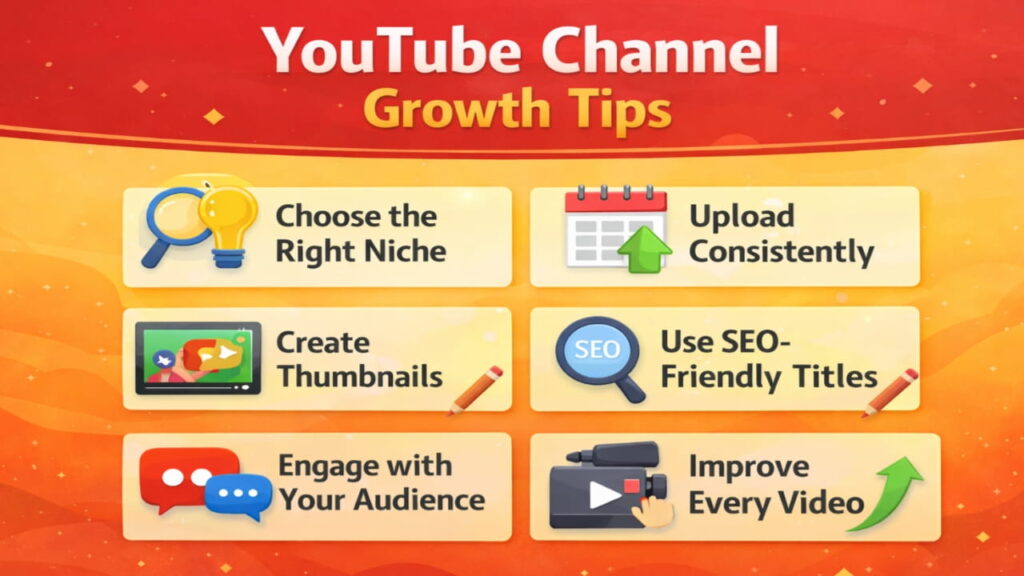
Step 8: Upload Videos Regularly to Grow Faster
Consistency is one of the most important factors for growth.
When I started, I made the mistake of uploading randomly. Sometimes one video in a month, sometimes nothing for weeks.
Later I realised consistency helps both:
- Viewers
- YouTube algorithm
A good beginner schedule could be:
| Upload Frequency | Suitable For |
|---|---|
| 2 video per week | Beginners |
| 3+ videos per week | Growing channels |
| 5+ videos per week | Full-time creators |
Even simple content can grow if you upload regularly.
Step 9: Build a Strong Connection With Your Audience
Many new creators ignore comments, but engagement builds a loyal community.
Try to:
- Reply to comments
- Ask questions in videos
- Create polls in community tab
This interaction signals YouTube that viewers like your content.
I noticed that when I replied to viewers regularly, people started returning to watch more videos.
Step 10: How YouTube Channels Make Money
After creating a channel and uploading content, many people naturally ask how to create a youtube channel and make money.
YouTube income usually comes after building an audience.
Main ways creators earn money
| Method | Description |
|---|---|
| YouTube Ads | Earnings from ads shown on videos |
| Affiliate marketing | Promote products and earn commission |
| Sponsorship | Brands pay for promotion |
| Digital products | Sell courses or guides |
But before earning from ads, you must join the YouTube Partner Program.
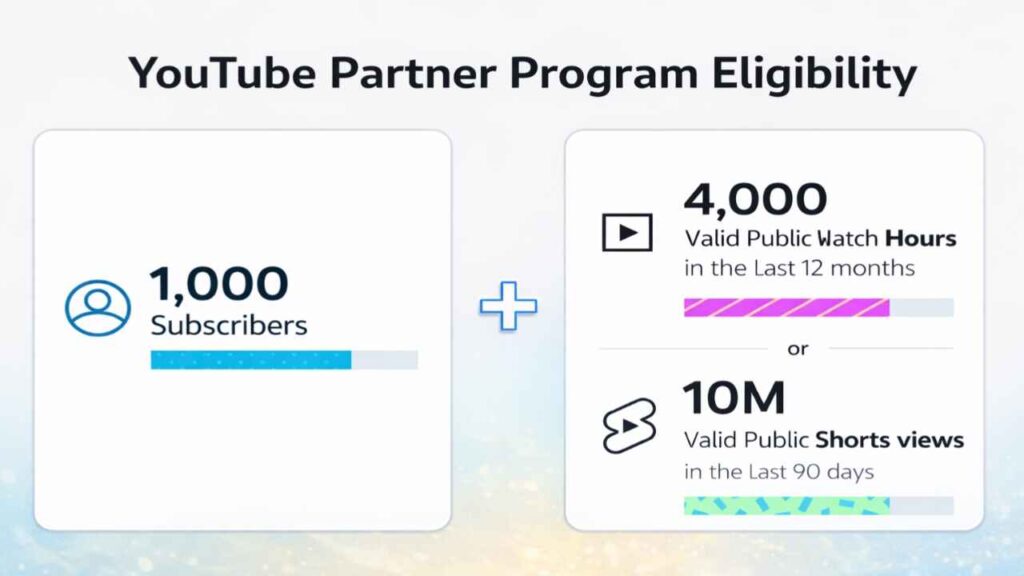
Requirements currently include:
- 1,000 subscribers
- 4,000 watch hours (or Shorts views requirement)
Once approved, ads can appear on your videos.
What I Learned From My First YouTube Video
When I started my first YouTube channel, I didn’t have any camera or expensive setup. I simply used my smartphone and recorded a short tutorial about a mobile app I was already using. In the beginning, the video got very few views, which felt a little disappointing. But after some days, I noticed a few comments where people asked simple questions. I replied to them and made another video explaining their problem. Slowly, views started increasing, and I realised that helpful content and patience matter more than perfect equipment.
Common Mistakes Beginners Should Avoid
When learning how to create a YouTube channel, new creators often repeat the same mistakes.
❌ Avoid these:
- Uploading without planning
- Posting once a month
- Not adding descriptions and tags
- Not using thumbnails
- Copying others’ content
- Publishing low-audio quality videos
- Over-editing
- Ignoring SEO
- Using clickbait titles
- Expecting fast earnings
✔ Do this instead:
- Focus on value
- Be consistent
- Improve video quality slowly
- Study analytics
- Learn SEO basics
Limitations & Disclaimer
When I started my YouTube channel, I thought videos would start getting many views quickly. But that did not happen. My first few videos got very few views, and nobody commented. I noticed that growth on YouTube takes time and patience. This guide is based on my experience and learning, but results can be different for every person depending on effort, consistency, and content quality.
❓FAQs about How to Create a YouTube Channel
Q.1 How to create a YouTube channel step-by-step for beginners?
To create a YouTube channel step-by-step, first sign in to YouTube using your Google account. Then click your profile icon and choose Create Channel. Add your channel name, profile photo, and description. After that, upload your first video with a clear title and thumbnail. Beginners can start easily using a smartphone and internet connection.
Q.2 Is it free to create a YouTube channel?
Yes, creating a YouTube channel is completely free. When I created my first channel, I only needed a Google account and internet connection. YouTube does not charge any fees to start a channel, upload videos, or build an audience.
Q.3 Is it necessary to show my face in videos?
No, it is not compulsory. Many channels work well without showing face, using voice, screen recording, or hands-only videos. Showing face can help build trust, but it is your choice.
Q.4 What language should I use for my YouTube channel?
Use the language you are comfortable with. Hindi, English, or regional languages all work well in India. Clear explanation matters more than language choice.
Q.5 How long does it take to grow a YouTube channel?
There is no fixed time. Some channels grow in a few months, others take longer. Usually, if you upload consistently for 3–6 months, you start seeing small results. Patience is very important.
Conclusion
Learning how to create a YouTube channel may feel confusing in the beginning, but the process is actually simple when you follow the steps one by one. When I started my first channel, I was unsure about many things like video ideas, titles, and thumbnails. My first few videos got very few views, and that felt discouraging. But I noticed that when I kept uploading helpful videos and stayed consistent, people slowly began watching and leaving comments. Over time, I realised that patience and useful content matter more than perfect equipment. If you start today and keep learning from each video, your channel can grow step by step.